GRBL controllers have revolutionized CNC automation by providing an accessible, open-source solution for motion control across mills, routers, plasma cutters, and laser systems. These microcontroller-based systems interpret G-code commands and translate them into precise movements, enabling makers, hobbyists, and professional machine shops to achieve reliable, repeatable machining operations. Understanding how grbl controllers function, their architecture, and implementation options helps operators select the right hardware and software combination for their specific CNC applications.
Understanding GRBL Controller Architecture
GRBL represents an embedded firmware designed specifically for the Arduino microcontroller platform, providing real-time G-code parsing and motion control. The firmware manages step generation, acceleration planning, and spindle control through a compact, efficient codebase that runs directly on the microcontroller hardware.
Modern grbl controllers handle multiple tasks simultaneously, including buffering incoming commands, calculating velocity profiles, and generating step pulses at frequencies exceeding 30kHz per axis. This multi-threaded approach ensures smooth motion without the latency issues common in traditional PC-based control systems.
Core Components and Functionality
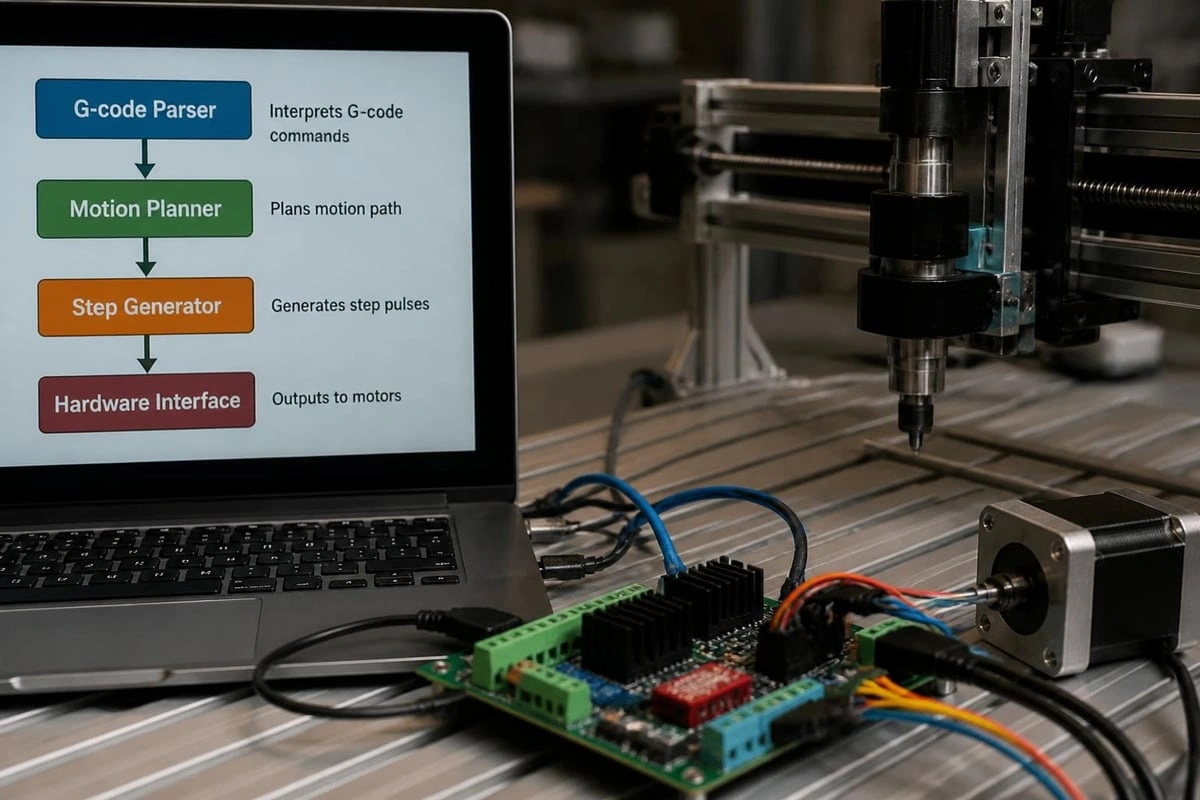
The fundamental operation of grbl controllers relies on several integrated subsystems working in harmony:
-
G-code Parser: Interprets standard RS274/NGC command syntax and validates input
-
Motion Planner: Calculates optimal acceleration curves and velocity profiles
-
Step Generator: Produces precise pulse trains for stepper motor drivers
-
Input Handler: Processes limit switches, probe signals, and emergency stops
-
Spindle Controller: Manages PWM or relay-based spindle activation
Each component operates within strict timing constraints to maintain synchronization across all axes. The firmware prioritizes motion generation over other tasks, ensuring that step pulses never experience jitter or timing variations that could compromise accuracy.
Hardware Platforms and Board Options
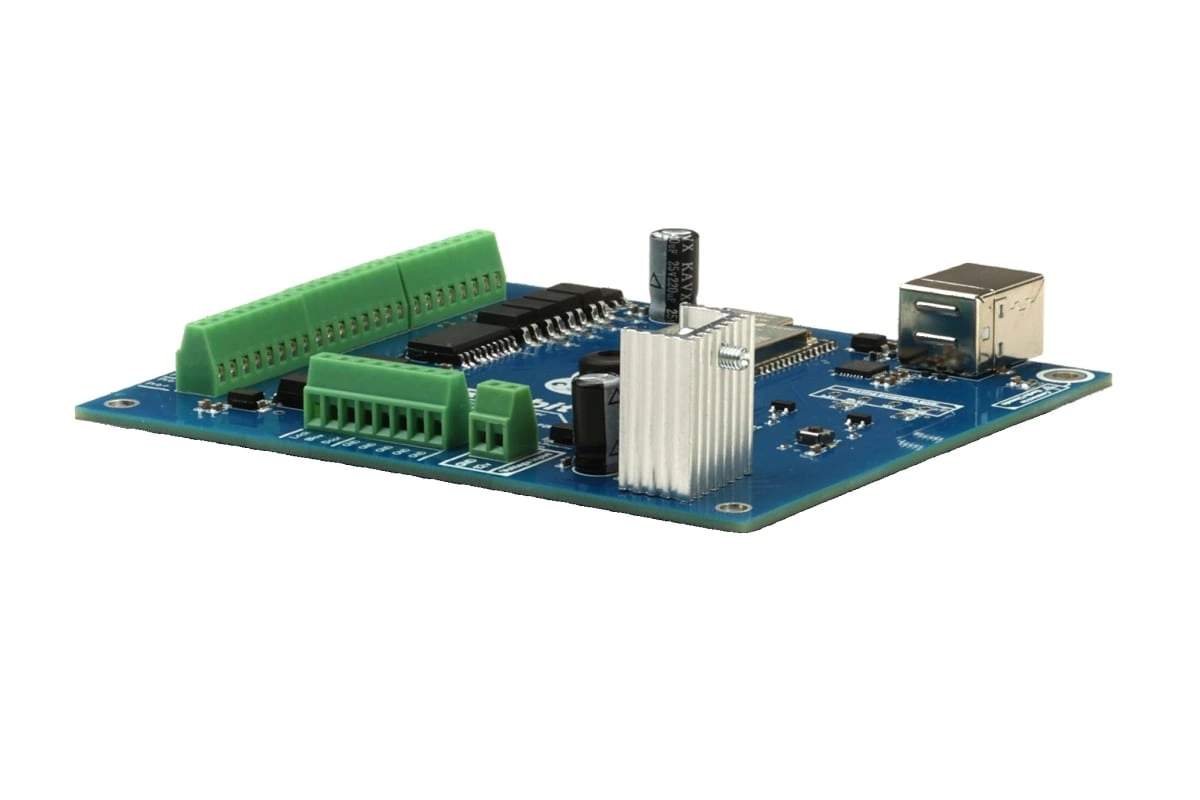
Selecting appropriate hardware forms the foundation of any reliable grbl controller implementation. Early versions ran exclusively on 8-bit Arduino Uno boards, but modern alternatives include 32-bit ARM processors that deliver enhanced performance and expanded feature sets.
|
Platform Type |
Processor Speed |
Axes Supported |
Step Rate |
Connectivity |
|---|---|---|---|---|
|
8-bit Arduino |
16 MHz |
3-4 |
30 kHz |
USB |
|
32-bit ARM |
120-240 MHz |
6+ |
200 kHz+ |
USB, WiFi, Ethernet |
|
ESP32-based |
240 MHz |
4-6 |
120 kHz |
USB, WiFi, Bluetooth |
The Rabbit Board 4-Axis exemplifies professional-grade hardware designed specifically for industrial CNC environments. This controller features buffered STEP/DIR outputs that protect against electrical noise, 12V opto-isolated inputs for limit switches and probes, and a power architecture that eliminates common USB disconnection issues.
Buffered Outputs and Noise Immunity
Professional environments demand controllers that resist electromagnetic interference from VFDs, stepper drivers, and spindle motors. Buffered output stages prevent noise from propagating back into the microcontroller, while optical isolation on input channels protects sensitive electronics from voltage spikes.
Advanced grbl controllers incorporate differential signaling options for long cable runs, allowing step and direction signals to travel 10+ meters without degradation. This capability proves essential for large-format machines or installations where the controller must mount away from the cutting area.
Software Interfaces and Control Systems
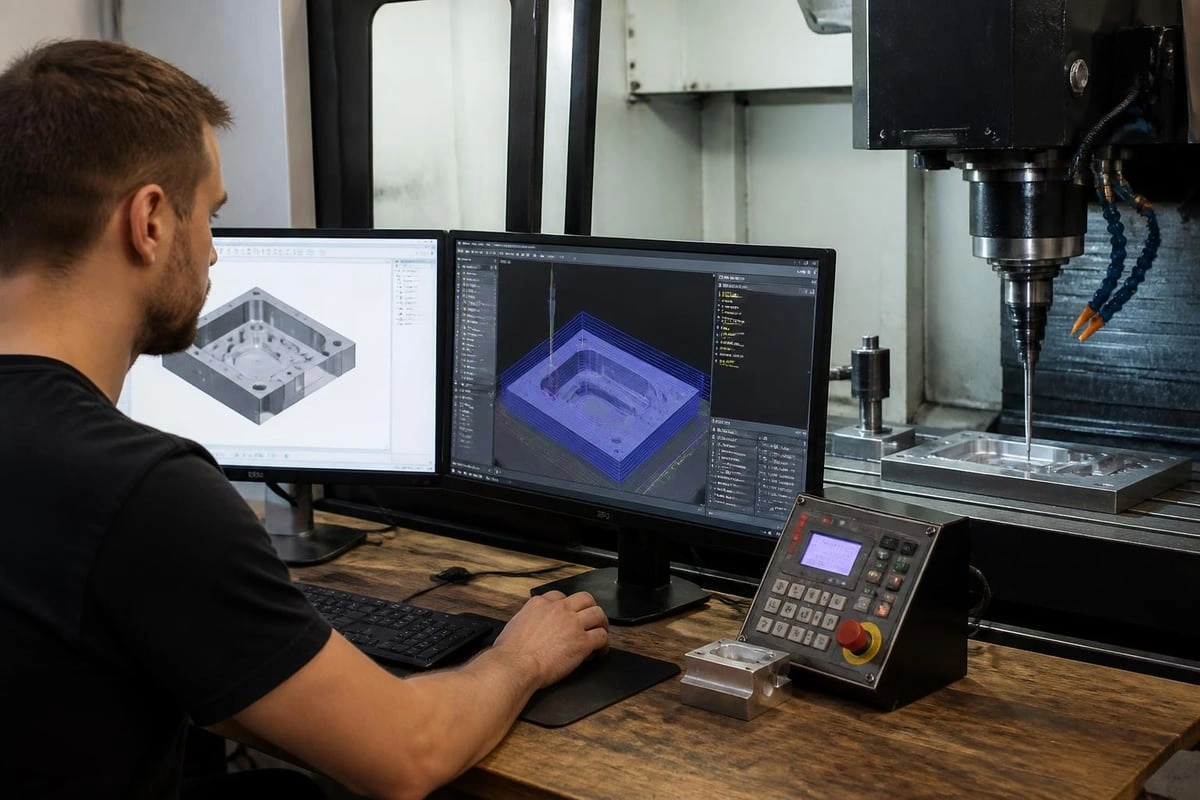
While firmware handles motion generation, control software provides the human interface for job setup, monitoring, and execution. Multiple software options exist, each offering different feature sets and user experiences.
Desktop Control Applications
Professional operators typically prefer feature-rich desktop applications that provide comprehensive machine control:
-
Job visualization with 3D toolpath preview
-
Real-time position display and status monitoring
-
Manual jogging with customizable keyboard shortcuts
-
Coordinate system management (G54-G59)
-
Probe routines for workpiece setup and tool measurement
-
Macro programming for repetitive tasks
The Focus CNC control software demonstrates this approach, supporting up to 6 axes while maintaining compatibility across USB, WiFi, and Ethernet connections. Its integrated design philosophy aligns software capabilities with grbl controller hardware, ensuring reliable operation in production environments.
Web-Based Interfaces
Web-based control platforms like CNCjs offer accessibility from any networked device, eliminating the need for dedicated control PCs. These systems run as server applications that communicate with grbl controllers while presenting browser-based user interfaces.
Benefits include remote monitoring capabilities, simplified deployment across multiple machines, and cross-platform compatibility. However, network latency considerations become important for real-time jogging and emergency stop responsiveness.
Configuration and Firmware Settings
Proper configuration transforms generic grbl controllers into precision instruments matched to specific machine characteristics. The firmware stores dozens of parameters that define motion behavior, limit switch logic, and spindle control.
Essential GRBL Settings
|
Setting |
Parameter |
Typical Value |
Function |
|---|---|---|---|
|
$100-102 |
Steps/mm |
200-800 |
Converts steps to linear motion |
|
$110-112 |
Max Rate |
3000-5000 |
Maximum axis velocity (mm/min) |
|
$120-122 |
Acceleration |
200-500 |
Acceleration rate (mm/sec²) |
|
$130-132 |
Max Travel |
Machine-specific |
Software limits (mm) |
Incorrect step/mm settings result in dimensional errors, while overly aggressive acceleration values cause lost steps or mechanical stress. Configuring these parameters requires understanding the mechanical system's capabilities and limitations.
Advanced Features and Extensions
Modern grbl controllers extend beyond basic motion control to include:
-
Laser mode for CO2 and diode laser systems
-
Canned cycles for drilling operations (G81, G83)
-
Tool length compensation with automatic offset
-
Backlash compensation for worn lead screws
-
Feed rate override during operation
Some implementations add support for indexed rotary machining, enabling complex operations like helical threading and cam machining without hardware modifications. These software-only frameworks leverage standard grbl controller capabilities while expanding functional possibilities.
Wiring and Integration Best Practices
Proper electrical integration separates reliable systems from problematic installations plagued by noise, false triggers, and intermittent failures. Grbl controllers interface with multiple subsystems, each requiring appropriate signal conditioning and isolation.
Stepper Driver Connections
Step and direction signals use different standards depending on driver type:
-
Common anode (5V pull-up): Used by most hobbyist drivers
-
Common cathode (pull-down): Required by some industrial drivers
-
Differential (RS-422): Professional systems with long cable runs
-
Isolated: Full optical isolation between controller and drivers
Connecting stepper drivers requires matching the controller's output configuration to the driver's input requirements. Buffered controllers provide flexibility by supporting multiple signaling standards through configuration jumpers or DIP switches.
Limit Switch and Probe Wiring
Limit switches protect machines from over-travel damage while enabling homing routines that establish absolute position references. Grbl controllers typically support normally-closed (NC) or normally-open (NO) switch configurations, with NC switches offering better noise immunity.
Probe wiring demands special attention to prevent false triggers during high-speed spindle operation. Shielded cable with proper grounding routes interference away from sensitive input circuits, while filtering capacitors suppress electrical transients.
Troubleshooting Common Issues
Even properly configured grbl controllers occasionally encounter operational challenges. Understanding root causes accelerates diagnosis and resolution.
USB Disconnection Problems
USB disconnections rank among the most frustrating controller issues, typically caused by:
-
Ground loops between controller and PC
-
Power supply noise coupling into USB circuitry
-
EMI from VFDs or stepper drivers
-
Inadequate shielding on signal cables
-
Poor quality USB cables or connectors
Solutions include USB isolation, ferrite cores on USB cables, separate power supplies for controllers and peripherals, and proper grounding practices. Professional grbl controllers incorporate design features that minimize susceptibility to these common noise sources.
Motion Quality Issues
Inconsistent motion manifests as surface finish problems, dimensional errors, or audible variations in motor operation. Common causes include mechanical binding, incorrect microstepping settings, or resonance at specific speeds.
Addressing these issues requires systematic evaluation of both mechanical and electrical systems. Tuning acceleration values, adjusting microstepping resolution, or implementing damping can resolve resonance, while mechanical improvements address binding and backlash.
CAM Integration and Workflow
Grbl controllers form one component in the complete CNC workflow extending from design through finished parts. CAM software bridges the gap between CAD models and machine-ready G-code.
Effective integration requires understanding:
-
Post-processor compatibility with grbl command set
-
Supported G-code commands and modal groups
-
Tool change procedures (manual or automatic)
-
Coordinate system workflow (fixture offsets)
-
Safe height and retract position management
Professional CAM packages offer grbl-specific post-processors that generate optimized code matching controller capabilities. Generic post-processors may include unsupported commands that trigger errors or unpredictable behavior.
Network Connectivity Options
While USB remains the most common connection method, network-enabled grbl controllers provide operational advantages in multi-machine shops or remote monitoring scenarios.
WiFi and Ethernet Implementation
Modern controllers based on ESP32 or similar platforms integrate WiFi capabilities directly into the firmware. Connecting over WiFi eliminates USB cables while enabling features like:
-
Job file upload from network storage
-
Status monitoring from mobile devices
-
Remote start/stop for lights-out operation
-
Multi-user access for training environments
-
Integration with shop management systems
Network latency becomes a consideration for real-time jogging operations. Well-designed implementations buffer motion commands and maintain local control loops to ensure responsive operation despite network variables.
Upgrading from Legacy Systems
Many shops operate older CNC equipment with proprietary controllers that lack modern connectivity, software support, or spare parts availability. Retrofitting grbl controllers breathes new life into these machines while preserving mechanical investments.
Retrofit Considerations
Successful controller upgrades require evaluating several compatibility factors:
|
Factor |
Consideration |
Solution Options |
|---|---|---|
|
Drive Voltage |
Match controller outputs to existing drivers |
Level shifters or new drivers |
|
Axis Count |
Ensure sufficient channels |
Multi-board systems or 6-axis controllers |
|
Spindle Control |
Analog vs. PWM vs. relay |
Appropriate interface modules |
|
Tool Changer |
Automation integration |
Custom macro programming |
The Rabbit GRBL repository provides extensive documentation supporting retrofit projects, including wiring diagrams, configuration examples, and community support forums where experienced users share solutions to common challenges.
Grbl controllers deliver professional motion control capabilities through carefully designed hardware, mature firmware, and comprehensive software interfaces. Whether building new machines or retrofitting existing equipment, understanding controller architecture, proper integration practices, and configuration requirements ensures reliable operation and optimal performance. SourceRabbit provides the complete ecosystem for grbl-based CNC systems, from robust hardware controllers through integrated control software and CAM solutions, all engineered for real-world industrial environments where reliability and precision matter most.